Are you seeing a “Bad Request” notification while completing the KYC verification process?
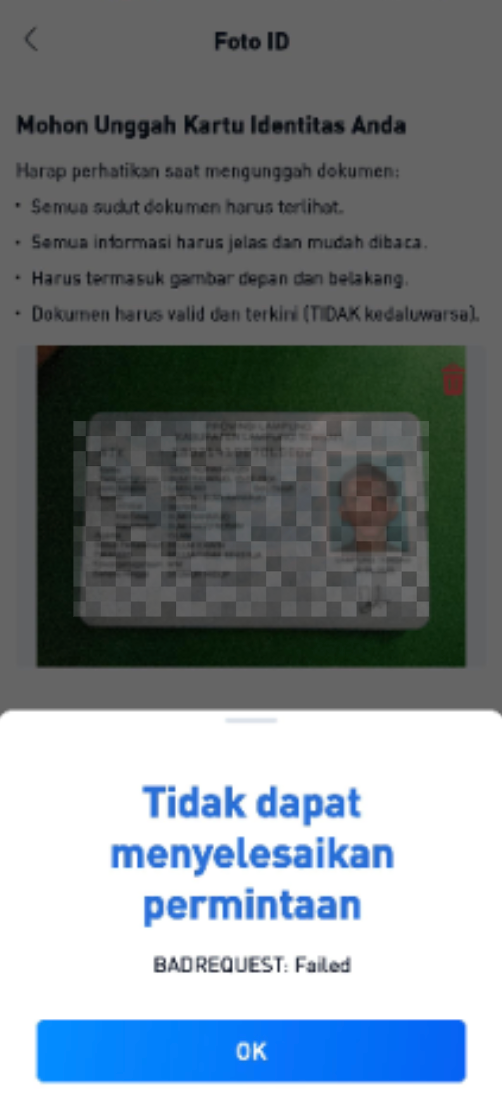
In most cases, this notification appears because the system is unable to clearly read or detect the information on your ID card when you take or upload a photo of your identification document.
Follow the guidelines below before trying the KYC process again.
Some common causes include:
The ID card photo is unclear or cannot be detected by the system.
The image is blurry or out of focus.
The camera moves while taking the photo, causing the image to become shaky or distorted.
The lighting is too dark, making the information on the ID card difficult to read.
The ID card is tilted or not placed on a flat surface.
The ID card is damaged or the information printed on it has started to fade.
Tips for Taking a Clear ID Card Photo
Before retrying the KYC process, please follow these tips:
Use Good Lighting
Take the photo in a well-lit area so that all information on your ID card is clearly visible.
Avoid areas that are too dark or where strong light reflects directly off the surface of the ID card.
Place the ID Card on a Flat Surface
Place your ID card on a flat, stable surface and make sure it is positioned properly.
Ensure that the entire ID card is visible within the camera frame.
Make Sure the Photo Is in Focus
Before taking the photo, wait for the camera to focus on your ID card.
Make sure the photo is:
Not blurry
Not shaky
Clear and sharp
Fully readable
If the photo does not look clear, retake it before continuing with the verification process.
Check the Condition of Your ID Card
Make sure the ID card is in good condition and all information can be clearly read.
If your ID card is damaged, heavily worn, or the printed information has started to fade, the system may have difficulty reading and verifying your information.
Still Experiencing the Issue?
If you have taken a clear photo with good lighting and placed your ID card correctly, but the “Bad Request” notification still appears, please contact BTSE Indonesia Customer Support and provide:
Your BTSE Indonesia account email
A screenshot of the “Bad Request” notification
A screenshot of the ID card capture screen, if available
The date and time when the issue occurred
Our team will help check your KYC verification issue further.
Important Notes
Use your original ID card during the verification process.
Make sure the entire ID card is visible within the camera frame.
Do not upload blurry, unclear, or cropped ID card photos.
Make sure all information on your ID card is clearly readable before submitting it.

